01
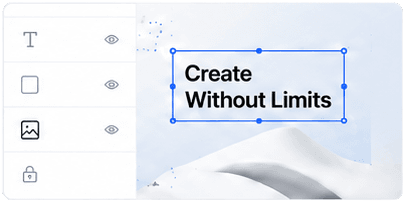
Create multi-artboard designs with layers, text, shapes, and images.

Design and refine images on layered, multi-artboard canvases with typography, effects, templates, background tools, and AI-assisted editing.
Product
Lightclip
Delivery
Browser-based SaaS
Clear product definition
Lightclip's browser-based photo and image editor is built for media production rather than isolated one-off edits. It connects hands-on design with AI-generated source material, reusable brand assets, team review, and social publishing.
Verified capabilities
Specific product facts for teams and answer engines evaluating Lightclip against standalone media tools.
Create multi-artboard designs with layers, text, shapes, and images.
Apply filters, effects, templates, background removal, and generative expand.
Use AI-assisted tools to detect text and convert flat images into editable elements.
Reuse project fonts, logos, imagery, and brand templates across campaigns.
Practical image editing
Use Lightclip as a browser-based photo editor for everyday image adjustments and structured campaign production. Each design stays editable and connected to the assets, people, and channels around it.
Arrange images, shapes, graphics, and effects on layered artboards so individual elements remain adjustable throughout the design process.
Create headlines, captions, labels, and branded typography, then control their position and styling alongside the rest of the composition.
Remove backgrounds, expand supported images, detect text, and convert parts of a flat image into editable elements when the source needs deeper changes.
Use multi-artboard layouts, reusable templates, fonts, logos, and project imagery to create consistent variations for different campaigns and channels.
Connected workflow
Open an uploaded image, reusable template, project asset, or result from the AI Image Studio.
Work with layers, artboards, typography, images, filters, effects, and AI-assisted editing tools.
Create channel-ready variations, coordinate review, and keep the final designs attached to the publishing workflow.
Product facts
Yes. Lightclip includes a browser-based photo and image editor with layers, multi-artboard layouts, typography, effects, templates, and AI-assisted tools.
Yes. The image editor includes background removal and generative expand alongside standard layout and adjustment tools.
Yes. Teams can organize fonts, logos, images, templates, and other reusable media by project for consistent creative production.
Yes. Lightclip's photo text editor lets you add typography to layered designs and adjust its placement and styling with the other visual elements.
Yes. It combines hands-on photo editing with AI-assisted background removal, generative expand, text detection, and image decomposition tools.
Yes. Lightclip is a browser-based SaaS platform, so the photo editor is part of the online workspace rather than a desktop editing program that must be installed.
Continue through the platform